
Know where to market. Know who refers.
LWSS outreach finds rooms for the clients you have. Referral Tools help you earn the next one.
See which skilled nursing facilities in your county are worth your time, keep every referral source on a visit schedule, and see which relationships actually send you clients. When a client is placed, the fee goes to your bookkeeper in one file.
Spend your marketing time where the referrals are.
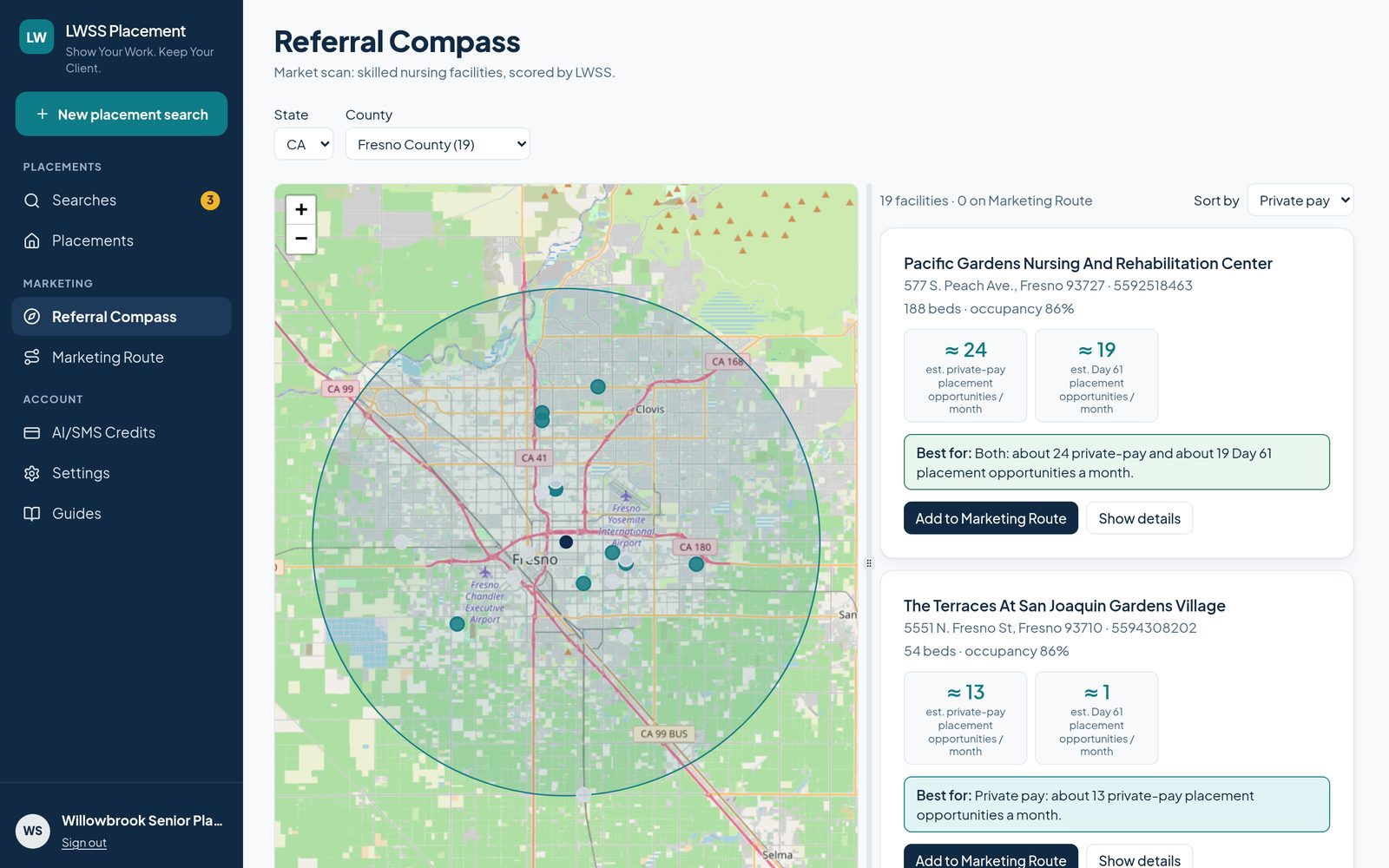
Pick a state and a county. Referral Compass shows the skilled nursing facilities there on a map and in a list, each with an LWSS estimate of private-pay placement opportunities a month.
- Works in every state and DC.
- Sort by private pay, beds or name. The map pins follow the sort.
- A “Best for” line sums up each facility at a glance.
- Open a facility to see its details.
- Add to Marketing Route in one click. That’s step 2.
Every referral source on a schedule. Nobody slips.
Marketing Route keeps your places and people in one list: SNFs, hospitals, discharge planners, case managers and social workers. Give each one a visit schedule, and the ones that are due or slipping come to the top.
Weekly, every 2 weeks, monthly or quarterly. A new place is due right away.
Zones and marketing days
- Zones
- Group places by area of town.
- My marketing days
- Pick weekdays (every Tuesday) or specific dates for each zone. On that day, that zone opens first.
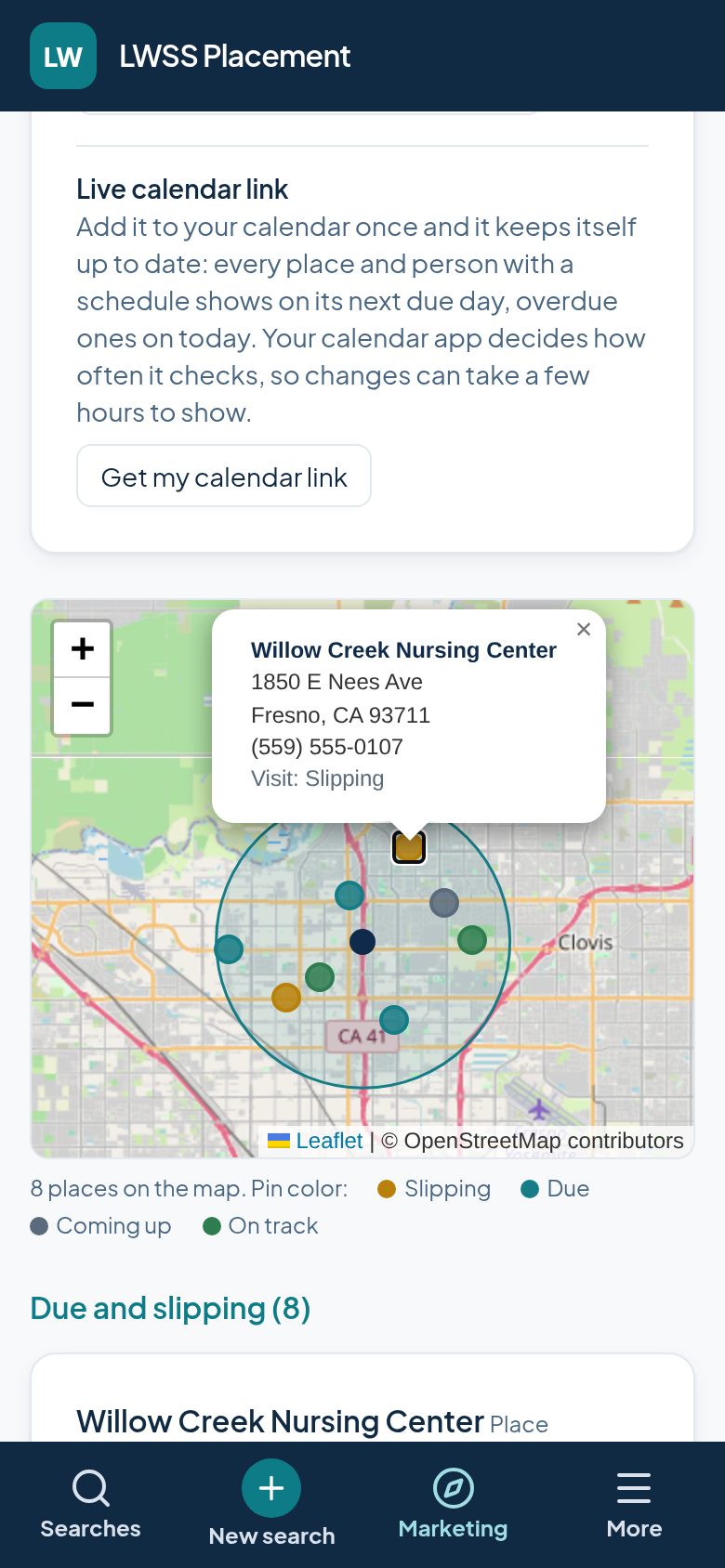
- Map by visit status
- Pins show slipping, due, coming up and on track. Tap a pin for the address and phone.
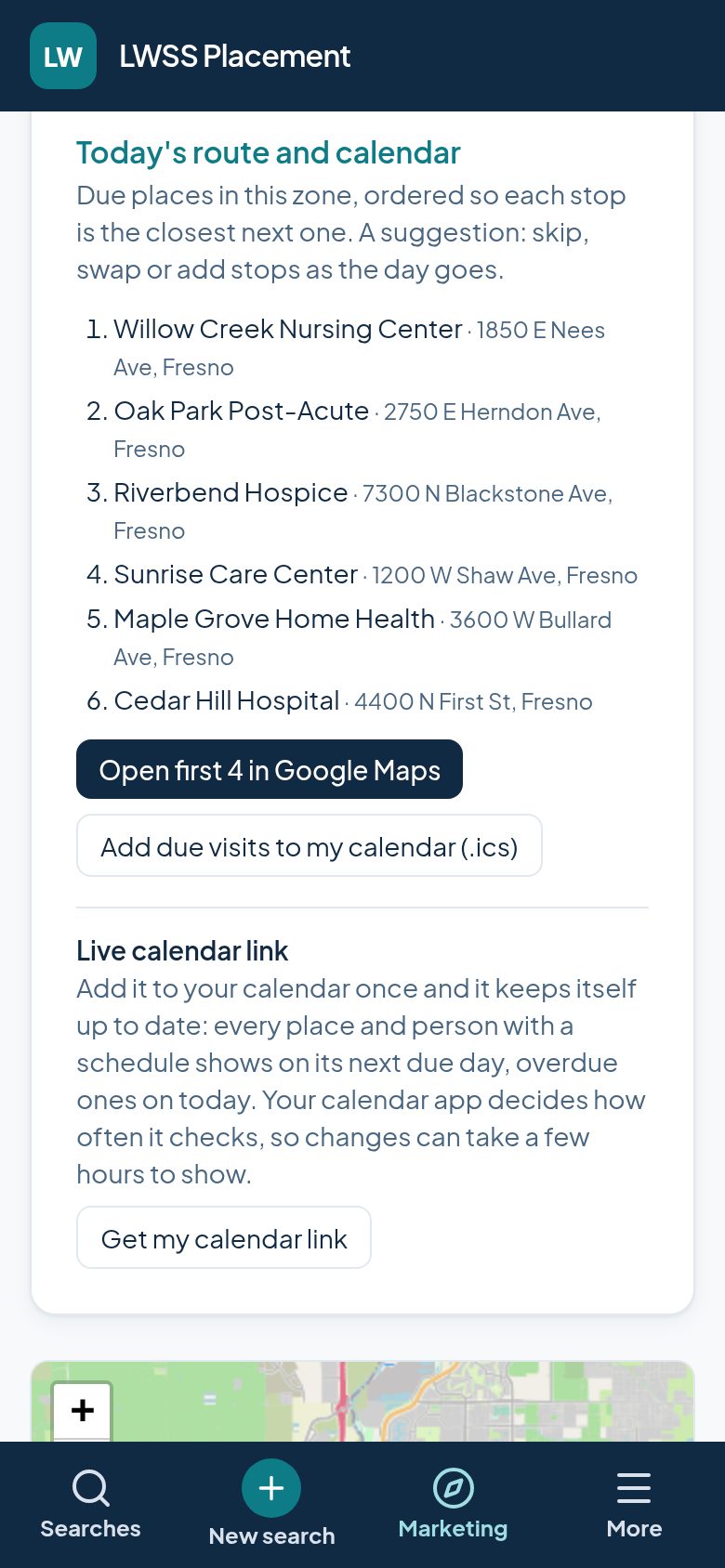
Today’s route
- Closest stop next
- The day’s due places in your zone, each stop the closest one to the last. Open the first four stops in Google Maps.
- I’m here now
- Allow location and LWSS lists your saved places within 5 miles, nearest first, each with a one-tap Log visit.
- Log a touch in a tap
- Visit, call, text, email, hallway chat or weekly group text, with a quick note if you want one.
Calendar, contacts, team
- Your calendar link
- Add it once to iPhone, Google Calendar or Outlook and your due visits show up there. No account connection needed.
- RCFE contacts in your phone
- Download assisted living facilities by county, zip code or miles around you. Each name starts with “RCFE,” so you know who’s calling.
- One list for your agency
- Everyone in your agency works from the same list, and each touch shows who made it.
See who actually sends you clients.
Every client intake has a referral source. LWSS counts them for each facility: total referrals, the last 90 days, the last date, and the people who sent them.
So you know which relationships pay off, not just which ones you visit. Spend more time with the sources that refer, and rethink the ones that don’t.
Placed. Recorded. Off to your bookkeeper.
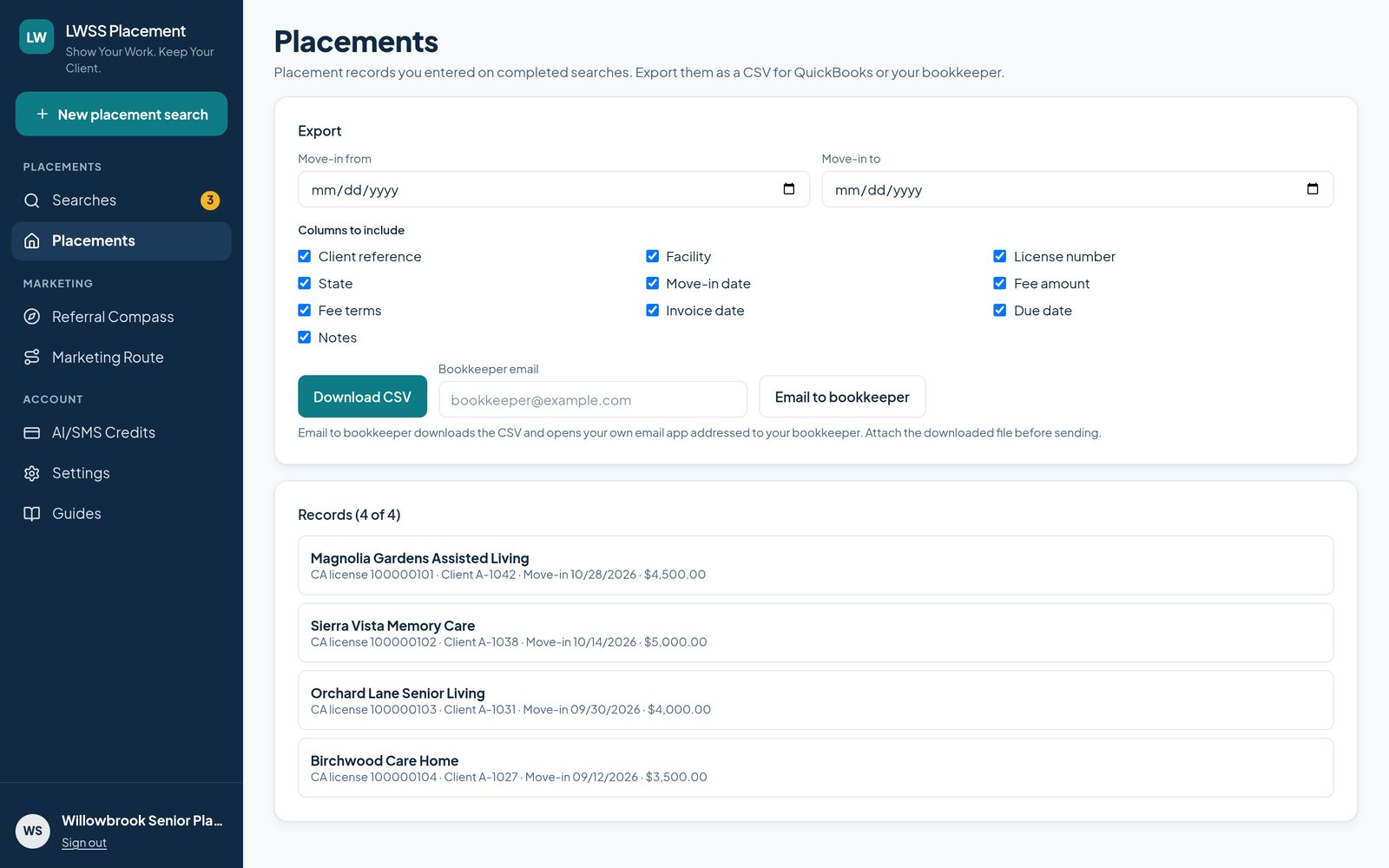
When a search ends in a placement, record it: facility, license number, move-in date, fee amount, fee terms, invoice date and due date. Every placement lives on one Placements page.
- Export a CSV file to import into QuickBooks or send to your bookkeeper.
- Choose a move-in date range and the columns you want.
- Dates come out in the MM/DD/YYYY format QuickBooks imports read.
- Email to bookkeeper downloads the file and opens your email app, already addressed.
- Clients appear by your own reference, not by name.
Outreach places the client. Referral Tools help bring the next one.
Referral Compass, Marketing Route and Placements come with your $99/month subscription at no extra charge. They work on your computer and your phone.